Between Sessions. Uploaded, Analysed, Reviewed, and Posted to Socials
Upload your GoPro footage while the kart gets checked over. By the time you're done, Race Ninja has your laps cut, telemetry ready, braking points identified, and your Perfect Lap stitched together. Review it, debrief with your team, generate an overlay video for socials, all before the next session starts. From your phone. At the track.
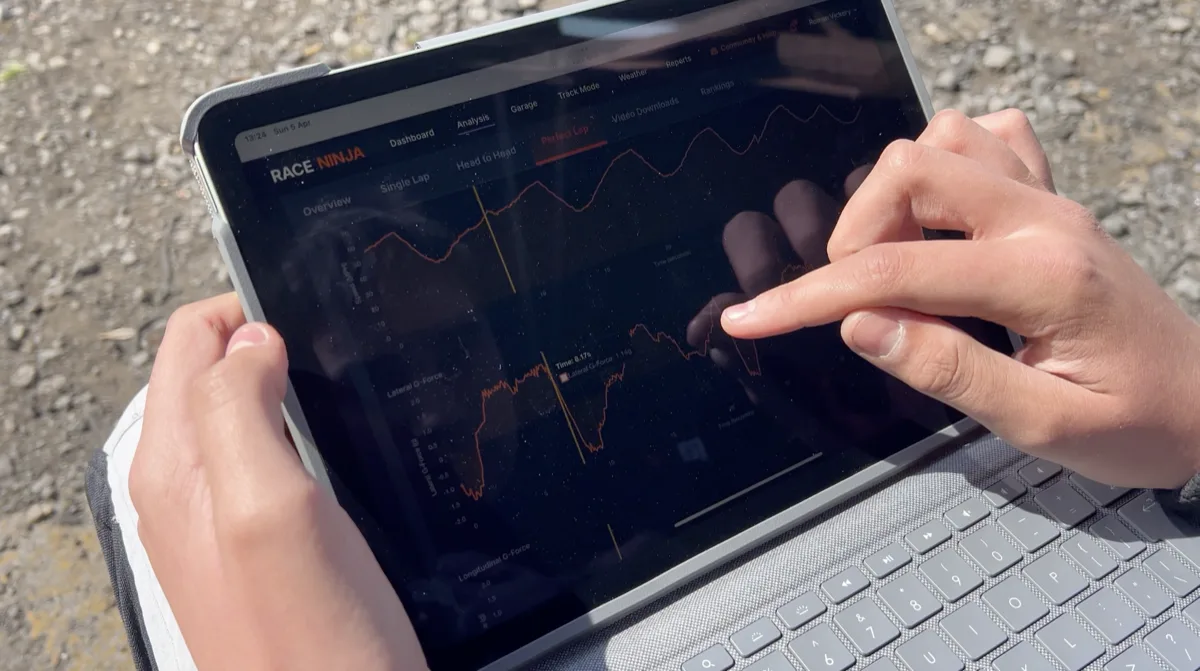
This is what a Race Ninja workflow looks like on a race day.
The session ends. The driver pulls in. The GoPro footage gets uploaded to Race Ninja while the kart is being cleaned and checked over. By the time that's done, the analysis is ready. Every lap cut, telemetry organised, braking points identified, engine and chassis grip differences checked, and the driver's Perfect Lap stitched together. The theoretical best lap. The fastest version of themselves that actually existed that day.
The driver reviews it all. Sees exactly where they gained, where they lost, and what they need to change. The team has real data to work with instead of memory and gut feel. Driver debriefed, new session plan agreed, plenty of time for any changes before heading back out. Then you do it all over again and use the session by session comparisons to see exactly what worked.
And then. Because all of that happened so quickly. The driver still had time to generate a telemetry overlay video from the platform, create a report for their social media, and post it. All before the next session started.
This is the video they posted. Between sessions. At the track. From their phone.
No expensive data logging hardware. No powerful laptop. No hours of manual data crunching after the event. Just a GoPro and Race Ninja.
And I've got plans to make this even smoother. Coming soon.
This is what accessible motorsport data analysis looks like. Built for club racers, karters, and track day drivers who want to stop guessing and start knowing.
Frequently Asked Questions
How fast does Race Ninja process GoPro footage?
Can you use Race Ninja at the track on your phone?
What's a racing video overlay?
0 Comments
Sign in to join the conversation.
Sign InNo comments yet. Be the first to share your thoughts.
More Articles

Tag us in your next video and we'll put it on Race Ninja
Racing on YouTube? Show or mention Race Ninja in your next upload and it can land on our Featured page, with a link straight back to your channel.

The Race Ninja app is open. Your phone carries the footage, we do the thinking
The Race Ninja app for iPhone, iPad and Apple silicon Macs is open to everyone through TestFlight. It shrinks your footage in the paddock, sends it up, and your analysis comes back in about a minute a lap.

GoPro Cloud links are importing again, chapters and all
GoPro Cloud share link imports have been broken since early August. They work again from today, and long sessions that split into chapters now come across as one analysis.